

Why should you care about quizzes?
Unless you’ve been living under a rock you will probably know that as an online business owner/blogger building your email list is very important. You don’t want to rely on connecting with your audience via a platform you don’t own. Being at the mercy of changing algorithms is no fun and so building a list of subscribers that you own is vital.
We want to make a connection with our audience and hopefully they will resonate with our message and want to follow us (hopefully joining our list too!). There’s so much noise online that finding a way to capture people’s attention is very important.
If you’re actively trying to build your email list, then I’m sure you will have a few freebies on your blog right now. A cheatsheet, a workbook, maybe even a webinar. All of these are great, but something else to consider is a quiz. You can design the quiz to fit in with the tone of your business, whether that’s fun or formal. You can also create a path through the quiz that leads respondents to your paid offerings.
The truth is people LOVE a quiz! How many ‘Who’s your ideal celebrity boyfriend’ type quizzes have you done over the year, plenty, I bet. We’re curious creatures and when someone gives us a chance to learn something about ourselves, however odd or insignificant, we cannot refuse.
So why are quizzes popular?
- They are fun and intriguing. People can’t resist the pull of finding out that something extra about themselves.
- They’re shareable. Super easy and fun to share with friends. According to BuzzSumo, the average quiz is shared 1600 times!
- They’re interactive. We like joining in and quizzes make this easy.
- They’re flexible. You can use them to fit with any brand. The content is 100% your choice.
- They provide you with data. You can use this data to make your quiz better. The more improvements you can make the more people will finish and the more additions to your mailing list you’ll have. You can also use the data collected to shape future content/messaging.
- They convert better. Research has found that the average quiz has a lead capture rate of 31.6%. Compared to the average email opt-in rate of 20% or below.
Convinced? Yes, I thought so.
How do you create a quiz?
When I first started thinking about creating my quiz, The Blogging Roadmap, I looked at a variety of options, such as Typeform, but I was struggling to work out the behind the scenes mumbo jumbo to get it to deliver the correct answer at the end. Then I came across Interact quizzes, which was the answer to my prayers!
Creating a quiz with Interact is so easy, it really takes the stress out of the process.
Creating a quiz with Interact
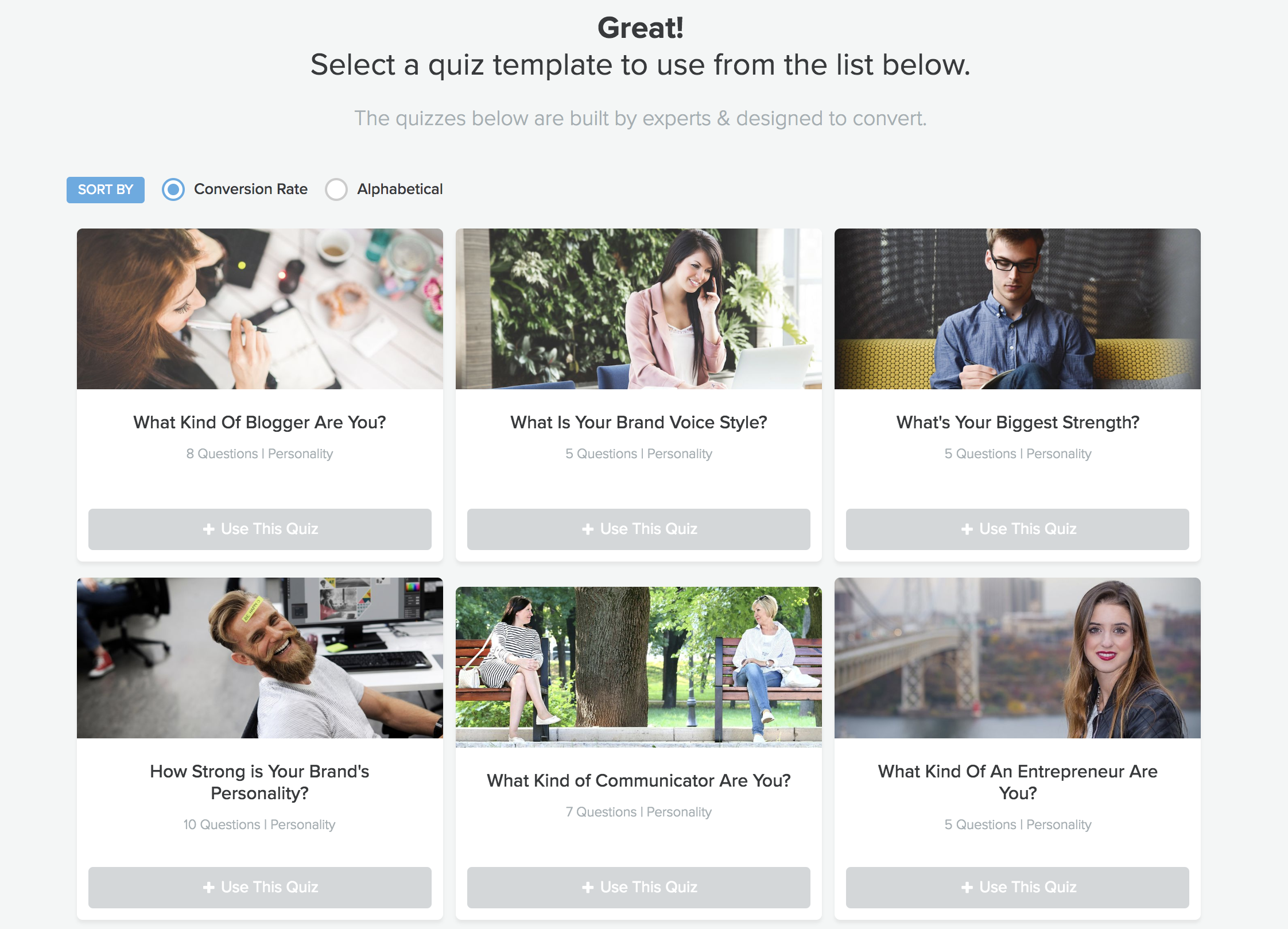
Interact is very user-friendly. You can create your quiz from scratch or use one of the preloaded templates as a head start. All of the templates have example questions and images in place so you can see what your quiz would look like. You can choose from an assessment, personality or scored. The templates are organised in specific industries too.

Assessment
These quizzes have right and wrong answers and a score based out of the number of questions you have.
Example: How much do you actually know about the world cup?
Personality
There are no right or wrong answers you’re asking questions to find out more about the person and they will be assigned a result depending on whether they chose more As, Bs or Cs for example.
Example: What kind of marketing superhero are you?
Scored
Each answer has a value associated with it and each respondent will see receive a score that corresponds to a unique score range.
Example: What is your marketing IQ?
Next step
If you’re starting with a template you can just edit the questions that are already in there. When selecting your template they are organised by conversion, which is great! If you’re starting from scratch simply add in your questions and answers options and decide how each of these will be scored. Create your results pages, which the respondents will be shown at the end. You can do this ahead of time or as you write the questions. If you want to create a more comprehensive quiz you can use “branching logic”. This means that respondents will be shown different questions depending on their answer to the first question etc.
All aspects of the quiz can be customised so you can really get it looking ‘on brand’. After you set up your branding basics, you’ll be prompted to add your quiz cover, which has several editable fields.
You will need to decide whether you are going to insist people enter their email address or not to get the results. I would say have it as obligatory, as you want to build your list. Interact can be integrated with your email autoresponder, so you can segment people and they will be added directly to your list.
Mapping the results
When you’ve created your questions you need to correlate the questions with the results. On the top right of the screen, you’ll see an option called ‘edit result correlations’.
Then just click on the circle next to the answer and click on the result you want to it relate to and the correlation will be added. You can also link two answers to one result.

Integrate
As mentioned you can integrate your quiz with your email service and automatically add subscribers to specific sequences.
Publishing
When you’ve finished just select ‘publish’ on the top right-hand side of the screen to make the quiz live.
Distributing
You can do a few different things with your finished quiz. You can embed the quiz into your blog or share it directly to social media too. Personally I could do both. When they have taken the quiz give them the option to share it with their friends. This will utilise social proof and free word-of-mouth marketing. You could also mention your quiz in facebook groups (on promo days), create multiple different pins and share to boards, groups and tribes, promote with a FB ad. Make sure you share it with your email list. Yes their already on your list, but the friends they share it with won’t be!
Tracking
Depending on your package you can also track your quiz with Google Analytics (GA) and Facebook. GA will tell you how many people went through each question, so you will be able to see if there is a particular drop off point. Facebook will add the event ‘Quiz’ as a custom event. When you look at your Facebook Pixel dashboard, you will be able to see how many events are triggered by this custom event.
Your quiz needs to……
- Have an awesome name
Remember clear over clever! While you want this clarity, a catchy title will make your quiz more shareable.
- Not be too long!
No-one wants to fill in a 100 question quiz. You need to make your quiz short enough to be completed easily. They need to be able to complete it in under 5 minutes.
- Be the right sort of quiz for your audience
Do they want an assessment type or is a test of their knowledge is more relevant.
Is Interact a must-have for building quizzes?
If you don’t want to build your email list and just want to create a quiz for fun, then you can use Interact for free. However, if you want to integrate email you do need one of the paid tiers.
The lowest option is the Lite package at $17 per month (when paid annually), this allows you integrate most email service providers. However, you cannot use custom branding. If you want conversion tracking and to incorporate your own branding then you need the Growth plan at £53 per month. Each account tier also comes with a free 7-day trial which is enough for you to create a quiz, see the results and decide if it’s right for you
Therefore, you need to be intending to run your blog as a business for this purchase to make sense. If you are it might make very good sense. Imagine you create a great quiz and it gets you 10 opt ins a day, that is 70 a week and 300 leads a month. If you were using FB ads you would be very lucky to get leads for even as little as $2 each and through Interact you will have got them for 6p on the Lite plan or 18p for the Growth plan. If fact you could get as few as 9/27 (Lite and Growth respectively) sign ups a month and it would still be cheaper than running Facebook ads to get leads. If your quiz has two possible results you could market appropriate products to the respondents depending on their results.
If you want to do something different from the tried, tested and maybe a little boring cheatsheets and checklist, then a quiz is the way to go. As mentioned you could use another tool, but personally I found it very difficult to try to set up and Interact was a total breeze. In terms of cost per acquisition (acquiring each lead) it is a very low amount of spend. Why not start your free 7-day trial.
Disclosure: I am an Interact Quiz partner and earn a small commission from the sales I generate. However, you know I only recommend products and services that I know and love with you all.
