
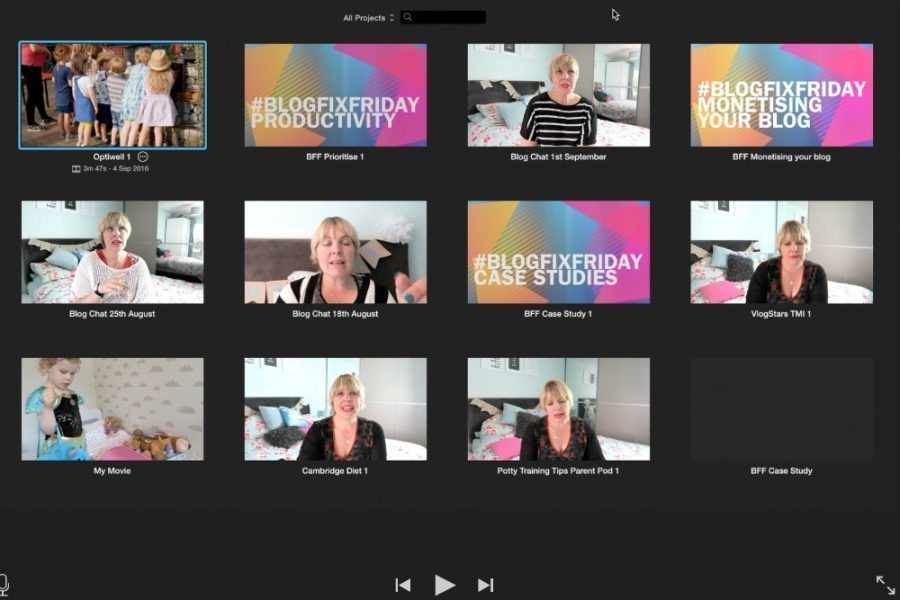
For the first time I am doing something a little different; sharing a screen recording with you. I’ve heard lots of people mentioning that they are unsure how to edit videos and for some people the editing process actually puts them off making family films or vlogging entirely. I love both of these things, so want to offer some help to anyone who thinks editing seems a little technical and scary.
In the video below, I walk you through editing a basic video, using titles, adjusting sound, adding music, adjusting speed of clips and brightness. Plus using transitions and blending music. I hope you find it useful.
Comments 7
Oh this is fabulous! Wonderful sound on this video I could listen to you allllllllllll day! xxxx
This is brilliant. I’ve made a couple of videos, but I have learnt some quicker ways to do things. Thanks huni xx
I really really need this! My eldest daughter has been doing my video editing for me and she’s moving out next week so I have to take over!! Thank you xx #TheList
Oh this is brilliant! So useful 🙂 You sound so clear on the video too! #thelist
I literally cannot thank you enough for this!!!!!!! I have just started vlogging and will be using iMovies so this is super helpful xx #TheLIst
I think im going to be watching this over and over again when i do my 1st Vlog. I have lots of ideas but just need to get around to getting in front of the camara #TheList
It is so great how much you help others! I love iMovie. #TheList