

We all know how important it is to build our email lists. There are lots of strategies you can use to get people onto your list and it can be really useful to utilise your social media accounts to help you. After all, you’ve spent time building up an audience on all these different platforms, you might as well reap the benefits.
How to grow your email list with social media
-
SCHEDULE DAILY POSTS TO PROMOTE YOUR FREE DOWNLOADS
How often do you promote that epic freebie you created as an opt in? After the initial promotion you do, you might find that this post and the freebie drop off your promotion schedule. With them removing the chance of email sign ups. Make sure you keep track of all of the posts you create, especially those with an opt in freebie. Then you can make sure you continue to promote these posts after the initial flurry of excitement and promotion.
I use Social Oomph*(affiliate), which in my opinion is unrivalled for Twitter scheduling. It allows me to schedule an initial run every few hours, then copy the tweet change the start date and reduce the frequency. It also allows me to run a tweet indefinitely without having to input it again.
-
ADD A CALL-TO-ACTION TO YOUR SOCIAL MEDIA PROFILES
Simple, but effective. Simply add your best converting or current opt in freebie onto your social media profiles and watch your subscribers increase. Remember you want subscribers not just followers. Your list is the only list of subscribers/followers that you ACTUALLY own.
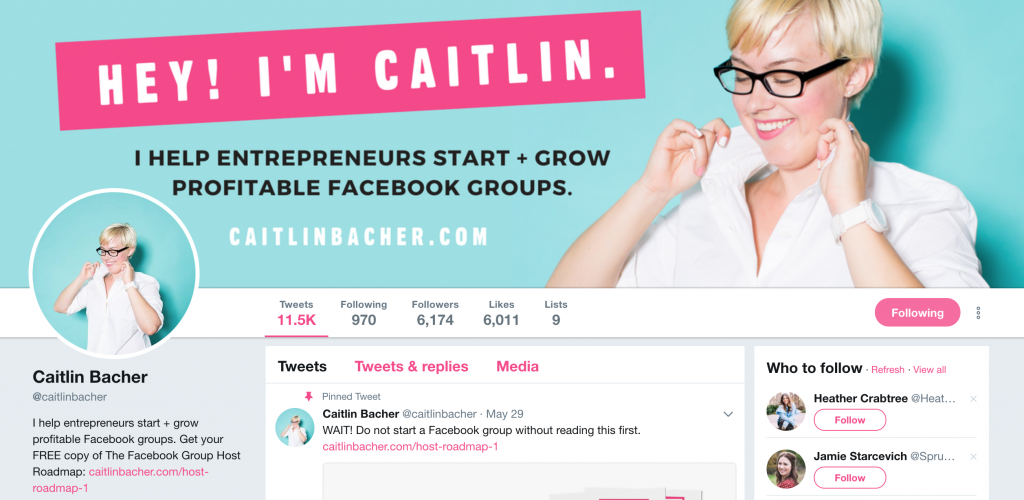
Caitlin is linking to her free roadmap.
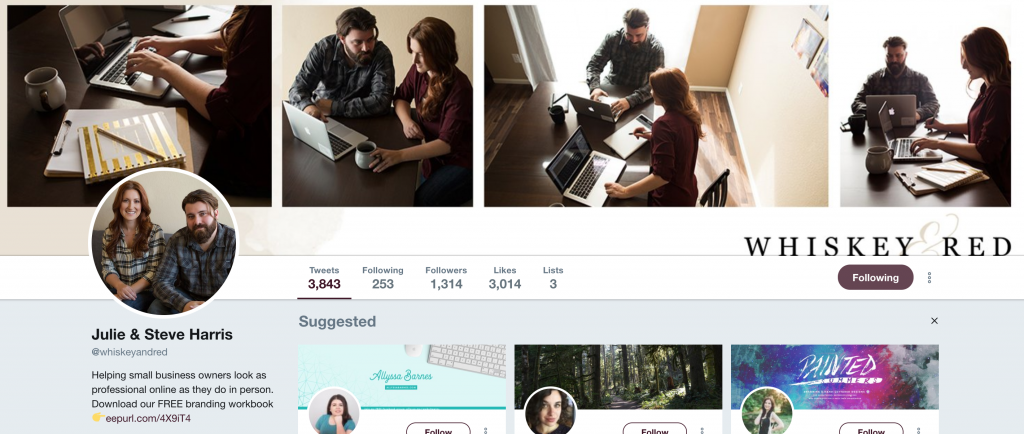
Julie and Steve to their free workbook.
-
ADD CONTENT UPGRADES TO BLOG POSTS AND PROMOTE THEM THROUGH PINTEREST
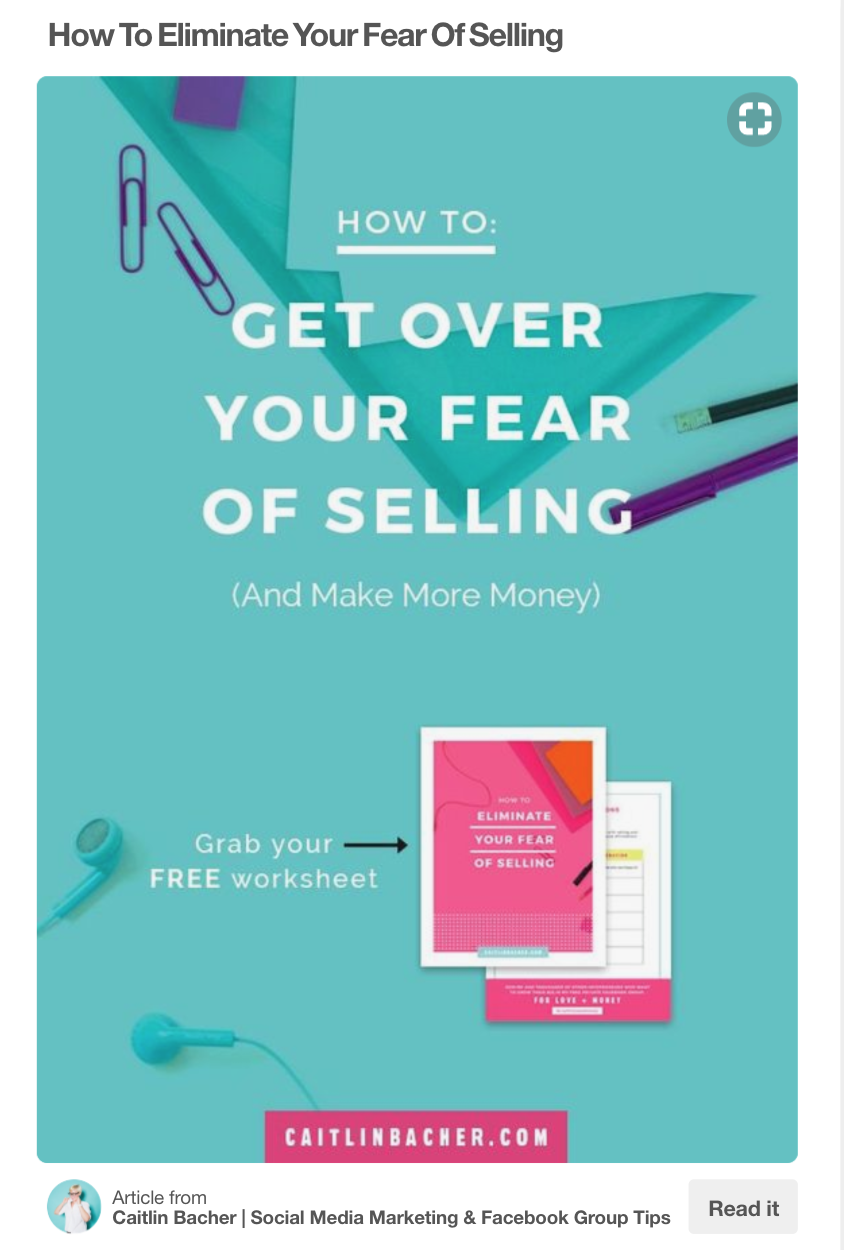
Pinterest can be such an amazing source of traffic. However, quite often people will create a pin for the post and not mention the opt in freebie, which is a missed opportunity. Why not create a pin telling people what the post is about and also including an image and mention of your freebie. Why not even create a separate pin focusing on your opt in and pin that too. Here’s a good example of including a freebie.
-
ADD AN OPT-IN FORM AND SIGN UP BUTTON TO YOUR FACEBOOK PAGE
Your Facebook page gives you several opportunities to get more email subscribers on your list. You can change the button to link people to an opt in or to another group. Then, you can create a Facebook header image which states what your freebie is, with an image and an arrow pointing to the button. I’ve previously done this and it does work.
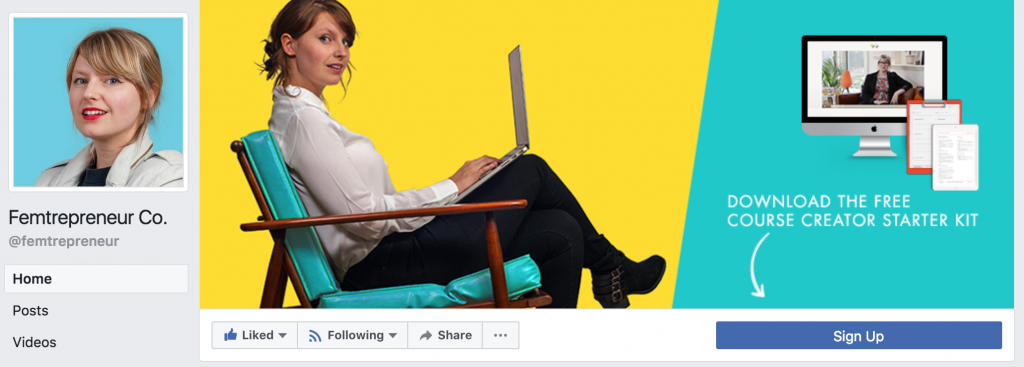
You can also add your group to the lefthand sidebar. So that when people click through to your group and request access you can ask them if they want to join your list and/or offer them an incentive to do so. You can also add your opt in link to your cover photo/video, so if people click that they will see your opt in.
-
HOST A TWITTER CHAT & USE LEAD GENERATION CARDS TO COLLECT EMAILS
Twitter chats/parties can be so useful for building your authority on a subject and increasing your exposure. You will come in contact with new potential subscribers and you can use Twitter Lead Generation Cards to collect email addresses straight from Twitter.
To create a lead generation card you need to sign up for Twitter Ads. Then, go to the Twitter Ads feature under the drop-down menu in the upper right-hand corner of your screen. Click on the Cards option, then click on the Create Lead Generation card button. You can now add a description, an image and your call to action text on the button.
-
HOST A GIVEAWAY
A giveaway can be a great way to grow your subscribers a lot in a short time. I would definitely recommend exercising caution when it comes to selecting an appropriate prize. Yes, you want to build your email list, BUT you only want to attract people who are interested in your content.
You need to pick a product that is relevant only to your ideal audience and not the general public. If you give away an iPhone, you’ll get a load of ‘compers’ and people who just want an iPhone. Giveaway something specific to your niche and the quality of your subscribers will increase. I recommend using the KingSumo Giveaways plugin, it isn’t free but it does make a difference. If an entrant shares the giveaway on their social media or with their own email list, then they have the opportunity to get even more entries into the contest. This can create a more “viral” giveaway.
-
CREATE YOUTUBE TUTORIALS WITH CALL TO ACTION CARDS
What have you learned from a YouTube tutorial? I’ve learned to create some epic face painting designs, lots of tech stuff and so many other things. The fact that YouTube is the second largest search engine in the world should tell you something about how often it’s used. You could build your list by creating useful tutorial videos, making sure you get them to rank and adding relevant opt in freebies to them. Make sure you write at least 300 words of content in the description box and include your keywords in this (and in the title and the text on your thumbnail!)), plus video tags, as this information will be used to rank the video.
You can also add a call to action to your YouTube videos by adding call to action cards to your videos. Just go to the edit screen for your video inside your YouTube Creator Studio. Click on “Cards” then choose which type of card you would like to add. Choose the “Link” option to add a call to action to visit your opt-in landing page (you’ll have to associate your website with your account first before you’ll be able to link to it). Viewers will now see an overlay with your call to action right on your YouTube videos. You can also view your cards report to get the conversion data.
-
ENCOURAGE CURRENT SUBSCRIBERS TO SHARE YOUR EMAIL NEWSLETTERS OR COURSES
This is so easy! At the bottom of your emails include your social sharing buttons and ask your subscribers to share. Stats show people are FAR more likely to do something if we simply ask them to. You could also ask them to forward the email to a friend and include a special opt in form on the email.
-
FACEBOOK ADS OR PROMOTED PINS
You could use Facebook or Pinterest ads to promote your freebie and get people onto your list that way. Paying for greater exposure certainly helps reach more people. Make sure you direct people to a dedicated opt in page, rather than your main blog homepage. You want these new visitors only focused on one thing – joining your list.

I ran an inexpensive campaign to this free content for exposure and you can see the difference it make to the reach!
-
SHARE YOUR WEBINARS ON SOCIAL MEDIA
Webinars can be an amazing way to grow your list. The essential part of this however, is sharing them on social media.
Use multiple platforms to promote your webinar and even offer a freebie to get people to sign up or stay until the end. Make sure you promote on all of your platforms multiple time to make sure all of your audience and potential subscribers have seen it.
-
HOST A FACEBOOK LIVE WORKSHOP & OFFER AN OPT IN
Live streaming is hot property with Facebook favouring this native video content. They can be a great way to grow your list. Create an opt in strongly related to the subject of your live. Then make sure you reference it multiple times, give the link (create a short memorable bit.ly link) and add the link in text too. After this live is completed you can then run a Facebook video view advert for around one cent per view, which is much cheaper than standard ads. If the content and ad targeting is good enough you will hopefully get some conversions.
-
PROMOTE YOUR GATED CONTENT
Do you know what gated content is? It’s content that’s locked until the visitor enters their email address. So you might write a post that is in two halves, you show the first half as usual, but lock the second half (you can use the free Rapidology plugin to do this). Then the reader can only access the rest of the content by adding their email. You then drive traffic via social media to this content.
Make sure the content you are gating is worth it. It needs to be super valuable or this approach won’t work. It is also one not to overdo.
-
ADD “CLICK TO TWEETS” IN YOUR CONTENT UPGRADES.
Every time you create a content upgrade, include a button within the PDF that your subscribers can click in order to share your freebie on Twitter. You might ask “Did you enjoy this?” Then, ask them to share by clicking a button if they did. This button then links straight to a tweet sharing the opt in and link to sign up for it. You can use Click toTweet.com and I’ve written a tutorial on exactly how to do this.
I design my freebies in Canva or Pages and in both you can add a clickable link.
The key to growing your audience and your email list is making sure you provide consistent value. When used correctly, social media can easily take your business to the next level of profitability via building your list. Make sure you keep growing your social media following, but that you’re always trying to convert followers to subscribers.
Find this useful? Why not pin it!

Comments 2
So many great tips here that I really need to put into action. Pinning for reference x
#TheListLinky
Thank you for the tip for the facebook button. I never realized it could be changed. Thank you. I already went and changed it. I’m working hard to grow my list. Thank you
Rachel