

Use stock images the cool way
You’re furiously typing away, everyone else in your house is asleep and you’ve still got to finish the blog post you’re working on. As you type the last line you realise it’s pitch black and you haven’t got a suitable picture to add to the post…. What do you do?
Enter stock images. I know, I know, they seem to have got a bad rap and although there are definitely plenty of the cheesy ones around. There are also sites packed full of amazing images taken by hugely talented photographers. Photographers that have given the images to the creative community as a gift.
You might be totally onboard the stock image train, but you also may have a niggle in your head which says ‘what if everyone is using the same image’ or ‘how will I fit it into my brand aesthetic‘. The fact is, if you can use stock images and make them look unique, they will integrate seamlessly into your brand.
I’m going to show you how to do just that today. Before we do, let’s go over some stock image ground rules. Ready?
- The image must have the appropriate permissions for others to use it. Creative Commons licence is a must. Make sure it’s free to use for commercial reasons if this is relevant to you. Choose a reputable site to be VERY sure the images are free to use. I love Unsplash and Pexels.
- Make sure the image fits the context and the content. Before you look for an image, think about what sort of picture would sum up your post. Then go searching.
- Avoid faces. While you’ll never state an image is you when it isn’t. Using faces of random people can seem odd. They can be distracting too.
- Stay away from the clichéd images – men in suits shaking hands, cheesy smiles, call centre workers in headsets and all those other gems.
- Avoid cluttered pictures that will distract your audience from your message.
- Make sure the photo fits your brand. There are thousands of stock images and it can be totally overwhelming when faced with so much choice. Choose the right one for your content, your message and the rest of your website.
- Go for candid shots. Relaxed shots will always create a more engaging graphic than posed shots.
Let’s customise
Remember a stock image isn’t necessarily ready to upload. You can edit it just as you would if it was your own photo (again check you are allowed to edit the image in the usage rights for each photo you use).
Brainstorm ways you can make use stock photos with your brand. Product mockups, images on your site, on social media. Even in courses and emails. Everywhere you need an image, you could use a stock image.
-
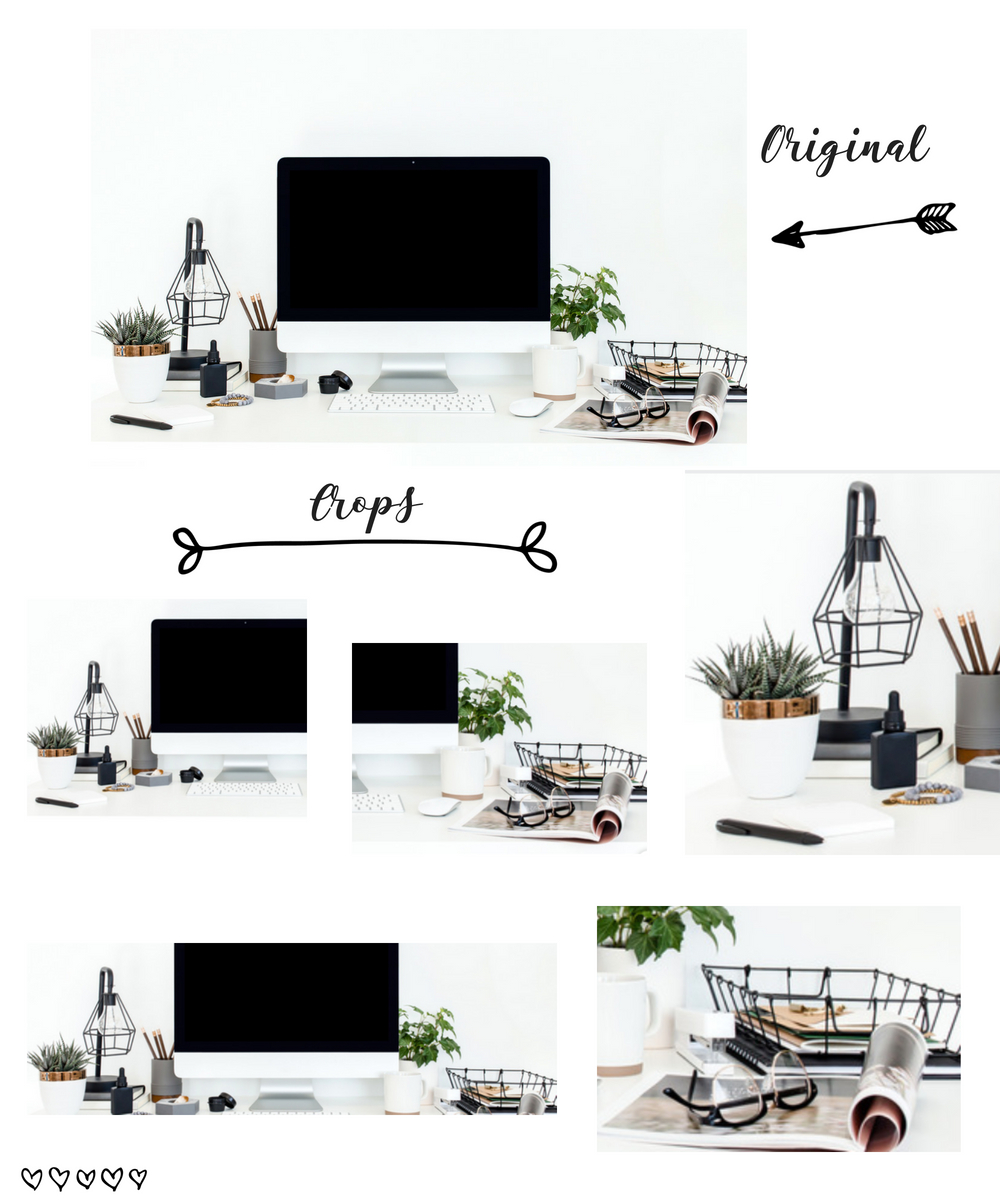
Crop your images
Cropping your stock images means that you can use the same image for multiple different projects. It also means if someone else has used that same stock image, it wouldn’t look exactly the same to yours.
Here’s an example of one stock image that I’ve cropped in different ways to give five different options.
-
Create title overlays

Adding your text, fonts and style to a stock image brings it even more on brand. These additions set your image apart from the rest (even if they are using exactly the same image!). You have added uniqueness to the image and so it doesn’t feel ‘stock’ anymore.
-
Use a filter/preset
Just because you didn’t take the picture, it doesn’t mean you can edit it (again a reminder to check the usage rights!). We’ve spoken about creative cropping, but now let’s look at filters (if you use your phone to edit) or using presets if you use a programme such as Lightroom.

-
Add some additional branding
You can personalise stock images really easily. Anything that has a screen or even a picture frame can be personalised. You could promote your site, your YouTube, a specific product or service or even one of your social media platforms.

Hopefully you now feel more comfortable knowing exactly how to use stock images to make them uniquely yours. They will save you time and probably a little stress too. Do you have a favourite stock photo site?
I have gathered together a few that you can check out;
Do you use stock photos? Will you now? Which are your favourite sites?

Comments 3
I love the idea of adding additional branding to stock images, I still haven’t quite worked out a way to tie my featured images in with my brand and I think this post will go some way to help me figure it out
Some of these ideas have completely blown my mind, thanks!
Great advice. I tend to use stock images sometimes so this is good to know!