

I was recently asked to review a Polar Loop activity tracker. I have been terrible at keeping active recently and so thought this project could be just what I need to get into a routine where activity plays a more significant part than it does now.
There are so many activity trackers on the market and I already own a fitbit, which I no longer use. So I was keen to see how this tracker would differ from its competitors. Activity trackers provide you with detailed information on your activity levels throughout the day and some (including the Polar Loop) also give you information on the calories burned and the amount of sleep you have had.
The Polar Loop is actually quite stylish and isn’t big or bulky. We were also sent heart rate sensors to use alongside our activity bands.
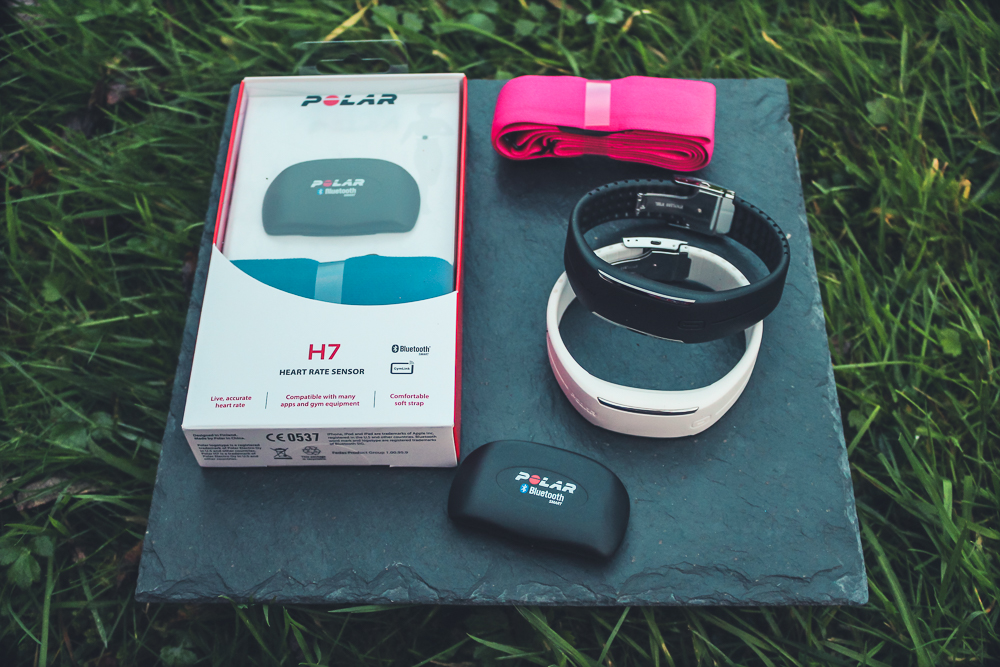
The main features of the Polar Loop:
- Heart rate (The Polar H7)
- Total step count
- Calories burned
- It’s waterproof
- Displays the time
Fitting the Polar Loop
Before you get started you need to fit the Polar Loop to your wrist. This involves measuring your wrist and cutting the strap to suit.
Setting up the Polar Loop
You will also need to charge up the wristband, which takes about 20 minutes to get it fully charged via the usb cable included in the pack. The software will install onto your computer and you can go through the process of adding your details to the website, to help with monitoring your progress.
What does it track?
The tracker displays the time, so there is no need to wear a watch. It also tracks how many steps you have taken, how close you are to your daily goal and how many calories you have burned.
The activity indicator tells you what specific activity you need to do to achieve your daily goal. So instead of simply displaying you have walked 3,000 steps, it may say you need to walk for 40 minutes. I think suggesting a specific activity is an awesome idea, as it helps to quantify what you need to do and knowing the time it takes helps you make time for it in your day.
Using the Polar Loop with the Heart Rate sensor?
Like all activity trackers, they excel at tracking activity the involves motion of the arms. Typically they are less successful when you are doing a more subtle form of activity, such as yoga or weights. You can get round this by purchasing the bluetooth heart rate sensor and connecting it to your Loop. This would help you to get an accurate reading when you are performing those ‘stiller’ activities.
Wish us luck!
Mr Hubby was originally meant to be doing this three month challenge with me. However, he is not allowed any bluetooth devices at work, so Baby’s Aunty will be doing it with me instead.
I will be checking in again in about 6 weeks to share how we are both getting on with our Polar Loops.
Do you have an activity tracker? Do they help your motivation?
Disclosure: This post is in collaboration with Polar Loop.
Comments 2
I am so keen to hear how you get on with this. I am inevitably wanting to get fit again in the new year and this seems amazing. I could really use something like this. Look forward to hearing more xxx
Pingback: Tots100 Bloggers get fit with the Polar Loop